
Search Login
Sonrai Security Logo
  • Product
    • Cloud Permissions FirewallA one-click solution to least privilege without disrupting DevOps.
    • WALLy Cloud PAM AgentYour cloud identity security teammate
    • Agentic AI ConsultingA two-week practitioner-led engagement
    • Interactive TourExplore our products in a quick walkthrough.
    • Start a 14- day free trial
    • Get Started
  • Solutions
        • Use Cases
          • AI Agent Security
          • Privileged Access Management
          • Just-in-Time Access
          • Third-Party Access
          • Least Privilege
          • Guardrails
        • User Role
          • CloudOps
          • DevOps
          • Security
        • Clouds
          • AWS
          • GCP
          • Azure
  • Pricing
  • Resources
        • Resource Library
        • Customer Stories
        • Privilege Inspector
        • Blog
        • Webinars
        • Videos
        • From the research team
        • Cloud Permissions Firewall ROI
        • ROI Calculator
        • Data Report: Cloud Access Risk
        • Get More Research
        • Read More
  • Customers
  • Company
    • About Us
      • Why Sonrai
      • Story & Leadership
      • Careers
      • News
    • Empty Menu
    • Sign In Sign Up for Free
      Search Login
Sign In Sign Up for Free
Sonrai Security Logo
  • Product
    • Cloud Permissions FirewallA one-click solution to least privilege without disrupting DevOps.
    • WALLy Cloud PAM AgentYour cloud identity security teammate
    • Agentic AI ConsultingA two-week practitioner-led engagement
    • Interactive TourExplore our products in a quick walkthrough.
    • Start a 14- day free trial
    • Get Started
  • Solutions
        • Use Cases
          • AI Agent Security
          • Privileged Access Management
          • Just-in-Time Access
          • Third-Party Access
          • Least Privilege
          • Guardrails
        • User Role
          • CloudOps
          • DevOps
          • Security
        • Clouds
          • AWS
          • GCP
          • Azure
  • Pricing
  • Resources
        • Resource Library
        • Customer Stories
        • Privilege Inspector
        • Blog
        • Webinars
        • Videos
        • From the research team
        • Cloud Permissions Firewall ROI
        • ROI Calculator
        • Data Report: Cloud Access Risk
        • Get More Research
        • Read More
  • Customers
  • Company
    • About Us
      • Why Sonrai
      • Story & Leadership
      • Careers
      • News
    • Empty Menu
    • Sign In Sign Up for Free
      Search Login

Interactive Product Tour

interactive tour Start a Tour Get a Demo
Search Login
Sonrai Security Logo
  • Product
    • Cloud Permissions FirewallA one-click solution to least privilege without disrupting DevOps.
    • WALLy Cloud PAM AgentYour cloud identity security teammate
    • Agentic AI ConsultingA two-week practitioner-led engagement
    • Interactive TourExplore our products in a quick walkthrough.
    • Start a 14- day free trial
    • Get Started
  • Solutions
        • Use Cases
          • AI Agent Security
          • Privileged Access Management
          • Just-in-Time Access
          • Third-Party Access
          • Least Privilege
          • Guardrails
        • User Role
          • CloudOps
          • DevOps
          • Security
        • Clouds
          • AWS
          • GCP
          • Azure
  • Pricing
  • Resources
        • Resource Library
        • Customer Stories
        • Privilege Inspector
        • Blog
        • Webinars
        • Videos
        • From the research team
        • Cloud Permissions Firewall ROI
        • ROI Calculator
        • Data Report: Cloud Access Risk
        • Get More Research
        • Read More
  • Customers
  • Company
    • About Us
      • Why Sonrai
      • Story & Leadership
      • Careers
      • News
    • Empty Menu
    • Sign In Sign Up for Free
      Search Login

Interactive Product Tour

interactive tour Start a Tour Get a Demo
Search Login

Powerful Cloud Permissions You Should Know

Mapping Permissions to the MITRE Framework

  • 1.
  • 2.
  • 3.
  • 4.
  • 5.
  • 5.
  • 6.

Table of Contents

  • 1. Initial Access
  • 2. Persistence
  • 3. Lateral Movement & Privilege Escalation
  • 4. Credentials Access
  • 5. Defensive Evasion
  • 6. Exfiltration & Impact
Download PDF
Share this entry
  • Share on Linkedin

Whether a cloud permission falls into the wrong hands for malicious use, or an employee uses it and unintentionally introduces new risk, cloud permissions can be powerful tools.

Some permissions inherently hold more power than others and should be controlled accordingly. With over 40,000+ possible actions across the major cloud providers, prioritizing locking down the permissions with the greatest potential for damage is critical.

With this in mind, our teams have analyzed all cloud permissions and ranked them by their potential for damage. Not only are these permissions ranked by sensitivity, but we’ve mapped them to the notable MITRE ATT&CK Framework.

Find examples of powerful cloud permissions at each pivotal stage of the MITRE ATT&CK Path for AWS, Azure and Google Cloud in this guide.

1

MITRE Stage: Initial Access

AWS logo featuring
Service: Lambda

Permission: CreateFunctionUrlConfig + UpdateFunctionUrlConfig

Context

This permission creates a Lambda function URL (or updates one) with whatever specified configuration parameters. A function URL is a dedicated HTTP(S) endpoint that you can use to invoke your function.

When your function URL auth type is NONE and you have a resource-based policy that grants public access, any unauthenticated user with your function URL can invoke your function.

So What?

With these permissions in hand, bad actors can create rogue lambda functions within your environment and update existing lambdas to require no authentication. This is their way in.

Along with the risk of exposing your private lambda function to the world, once public, a bad actor can then begin performing initial discovery and injection attacks.

In a less sinister light, internal employees with this permission can also introduce risk. A developer may accidentally leave these Lambda function URLs unauthenticated while testing. This means any unauthorized individual could invoke the function and cause some harm with it.

Blue and turquoise gradient letter
Service: Microsoft.ApiManagement

Permission: Microsoft.ApiManagement/service/users/write

Context

This permission allows both the creation AND updating of a user, including user password.

So What?

This is about as straightforward as it gets, permission to write to the user’s API provides an easy way for malicious folks to create new user entities which can access your portal(s). This is their initial foothold.

From there, the developer portal in Azure outlines APIs within your organization, providing a nice reconnaissance method for bad actors. Then, they can continue discovering unsecured API endpoints and aggregate information to use to pivot within your environment. Cue: further lateral movement.

Google Cloud icon with a colorful outline forming a cloud shape.
Service: Compute

Permission: compute.instances.osLogin

Context

This permission allows a user to log into virtual machine instances using OS Login.
That was easy!

So What?

The potential for harm with this permission in the wrong hands is pretty straightforward, but consider the following scenario: OS Login is enabled. User123’s google identity has permission to log into specific Linux Virtual Machines.

User123 has a bad day and gets phished or falls for a social engineering scheme, suddenly the attacker has full blown access to these VMs – with no authorization needed. *Note: the identity additionally needs roles/iam.serviceAccountUser in this scenario.

Things could be even worse if it was a more senior employee than ‘User123’ who was phished, if an identity with `roles/compute.osAdminLogin`was compromised, the attacker has admin privilege over the associated VMs.

OS Login at surface value seems like a really convenient way to provision access to certain compute instances within your Google cloud, but when misconfigured or lacking additional measures like MFA, it may be considered a single point of failure for a successful social engineering attack.

You can find the full-length blog dedicated to the Initial Access stage below.

Initial Access

Powerful Cloud Permissions You Should Know: Part 1

A cloud permission is never a dangerous thing by nature. In fact, their power is solely defined by the context in which they are used.

Read More

2

MITRE Stage: Persistence

Once an attacker has gained a foothold into your environment, their first thought is, ‘how can I stay here?’ Meaning, what nooks and crannies can they create or windows can they leave open to offer them ways back into your cloud or ways, inflict further damage, or just remain. This is how we categorized permissions into the Persistence stage.
AWS logo featuring
Service: Key Management Service (KMS)

Permission: PutKeyPolicy

Context

This permission attaches a key policy to the specified KMS key.
A key policy is a resource policy for an AWS KMS key – every KMS key must have exactly one. Key policies are the primary way to control access to KMS keys. The statements in the key policy determine who has permission to use the KMS key and how they can use it.

So What?

With this permission, attackers can sneak in a policy to allow them access later on. For example, attaching a key policy to a compromised user that defines access to specific Customer Managed Keys (CMKs.) Then, if the malicious actor can maintain access to this compromised identity, the actor can obtain whatever sensitive data is provided by the key, even without directly accessing the services where the data is stored. Beyond this, by configuring the relevant IAM policy on an external user outside your cloud environment, the bad actor could maintain access to your organization with this compromised CMK.

Blue and turquoise gradient letter
Service: storageAccounts

Permission: Microsoft.Storage/storageAccounts/localusers/write

Context

This permission creates a storage account level user that can access stored data with the ‘write’ permission.

So What?

If an attacker added a Storage Account user, said user could persist access using an SSH key. By leveraging ‘sshAuthorizedKeys’, the user can exfiltrate data through SSH File Transport Protocol (SFTP) and depending on what the stored data is, find other entry points in your environment.

If there is an available credentials/key dump on the web, those credentials are an additional way to persist within the network and continue to peruse and exfiltrate information.

Google Cloud icon with a colorful outline forming a cloud shape.
Service: Compute

Permission: compute.instances.setServiceAccount

Context

This permission enables setting or changing the service account associated with a virtual machine instance.

So What?

With this permission, a bad actor can set a specific service account to a compute instance, allowing them to maintain access to their desired resources and services. Further, the privileges associated with the service account would be inherited by the instance. This can then lead to other privilege escalation and lateral movement opportunities.

You can find the full-length blog dedicated to the Persistence stage below.

Persistence

Powerful Cloud Permissions You Should Know: Part 2

This blog is the second publication in a series exploring the most powerful cloud permissions and how they map to the MITRE ATT&CK Framework.

Read More

3

MITRE Stage:
Lateral Movement and Privilege Escalation

An attacker is in your cloud. They are looking to move around it in search of further opportunity. Whether it is pivoting in and out of different accounts, hopping from identity or the next, or gaining more privilege, they’re on the move.
Traditionally, Privilege Escalation and Lateral Movement are distinct stages in the MITRE Framework. In our analysis, we’ve decided to address the two together. The nature of the cloud allows for new identity-based forms of lateral movement, blurring the lines between horizontal (lateral movement) and vertical movement (privilege escalation. Many of the same cloud permissions can be used to accomplish both techniques, it just depends on the context in how they’re used.
We have categorized permissions under ‘Lateral Movement’ if they either intentionally or unintentionally create opportunities for an attacker to move across your environment, such as from service to service or identity to identity.
Permissions are categorized under ‘Privilege Escalation’ if they allow an identity to escalate their privilege (i.e. gain a higher level of privilege) in order to accomplish their desired action (e.g. access a service).
AWS logo featuring
Service: Secrets Manager

Permission: ReplicateSecretToRegions

Context

This permission allows one to replicate a secret to a new region. Secrets Manager is used to store credentials, API keys, tokens and other sensitive information.

So What?

If an attacker has access to a stored secret in the original compromised region, this permission allows them to replicate said secret (whether it is credentials, tokens, etc.) to another region. This gives them the ability to move laterally to another region and access additional accounts, resources or services there.

Consider an attacker coming across a compromised EC2 instance with hardcoded variables or secrets exposed in plaintext, with the permission, they can replicate it to another region and leverage the same gained permissions there.

Even more damaging, the attacker could bake the replication into an organization’s base CloudFormation templates to allow this lateral movement beyond just a one-off manual implementation.

AWS logo featuring
Service: Code Artifact

Permission: PutDomainPermissionsPolicy

Context

Code Artifact supports resource-based permissions – which let you specify who has access to a resource and what they can do. By default, only the original account that owns the domain can create or access repositories in the domain. However, one can apply a policy document to a domain to allow others to access it.

When called, this permission triggers the resource policy on the domain to be ignored when evaluating permissions. This means the owner of the domain cannot lock themselves out of the domain, preventing them from updating the resource policy.

So What?

A bad actor could add themselves to the domain access list, bypassing the resource policy present on the domain – giving them unauthorized access. This increase in privilege can allow them further opportunity to inflict damage. For example, creating their own malicious package into a public repository, and then pointing the production domain code artifiact instance to it.

Blue and turquoise gradient letter
Service: N/A

Permission: Microsoft.Authorization/policyAssignments/exempt/action

Context

This permission enables the ability to exempt specific resources from certain policy measures.

So What?

Quite straightforward, this permission allows lateral movement that would otherwise be inaccessible. For example, let’s say there’s a resource with a policy restricting access or restricting the ability to communicate to other resources in local networks – with this permission in hand, the attacker can exempt the restriction and complete a desired action.

Google Cloud icon with a colorful outline forming a cloud shape.
Service: Compute

Permission: compute.instances.osAdminLogin

Context

This permission allows administrative login to the operating system of compute engine instances.

So What?

If a bad actor can gain access to a compute instance and OSAdminLogin is enabled, they essentially control the instance itself. This is a direct form of privilege escalation. This can be especially damaging if the instance is responsible for integral operations like a CI/CD pipeline or website content delivery.

Additionally, this permission allows SUDO (SuperUser DO) – the greatest form of privilege escalation available on a Linux box. It temporarily allows elevated privileges without being the root user. With this enabled, the actor can have their way with your cloud.

You can find the full-length blog dedicated to the Lateral Movement & Privilege Escalation stage below.

Lateral Movement and Privilege Escalation

Powerful Cloud Permissions You Should Know: Part 3

This blog is the third publication in a series exploring the most powerful cloud permissions and how they map to the MITRE ATT&CK Framework.

Read More

4

MITRE Stage: Credentials Access

AWS logo featuring
Service: Roles Anywhere

Permission: CreateProfile, UpdateProfile

Context

Roles Anywhere is a part of AWS IAM that allows workloads to access temporary AWS credentials while running outside of AWS. You use profiles to intersect permissions with IAM managed policies. These permissions allow you to create or update a profile – a list of the roles that Roles Anywhere service is trusted to assume.

So What?

These permissions present an opportunity for an attacker to obtain temporary permissions for workloads they’ve created outside of AWS infrastructure (note: access to Amazon Certificate Manager is needed to use the credentials). Further, once a bad actor has compromised an external workload and obtained access to these credentials, if the credentials are set as environment variables on the box, they are available in clear text for the remainder of the session. The actor could run AWS CLI commands to execute recon, run scripts, or enact other damage allowed by the associated credential permissions.

Blue and turquoise gradient letter
Service: IoT Hub

Permission: Microsoft.Devices/iotHubs/certificates/Write

Context

IoT Hub is a platform enabling the connection, management, visualization and monitoring of your devices. You can use certificates to authenticate the devices to the IoT Hub. This attests the identities on your devices when connecting to the Hub. This permission allows one to create certificates in IoT Hub.

So What?

Granted an attacker has compromised an endpoint or gotten their hands on the right identity and can access the private key of Microsoft intermediate certificates in the IoT Hub, this permission allows them to create a certificate for an endpoint and use it to act as a gateway for connecting user endpoints.

Google Cloud icon with a colorful outline forming a cloud shape.
Service: Cloud Storage

Permission: storage.hmacKeys.create

Context

This permission enables creating HMAC keys for Google Cloud Storage, which are used for authenticating requests. HMAC keys can be used as credentials for service accounts.
HMAC keys can also be used to query Amazon S3 buckets.

So What?

Consider an organization considering migrating from S3 to Cloud Storage, but ultimately did not. In the process of evaluating, a shared HMAC key was created, and your team forgot to delete it. If an attacker acquires the HMAC key, or creates their own with this permission with authorization to S3, they can query S3 and glean the contents – not to mention whatever contents are in Cloud Storage itself.

You can find the full-length blog dedicated to the Credentials Access Stage below.

Credentials Access

Powerful Cloud Permissions You Should Know: Part 4

This blog is the fourth publication in a series exploring the most powerful cloud permissions and how they map to the MITRE ATT&CK Framework. You can find the beginning of the series here.

Read More

5

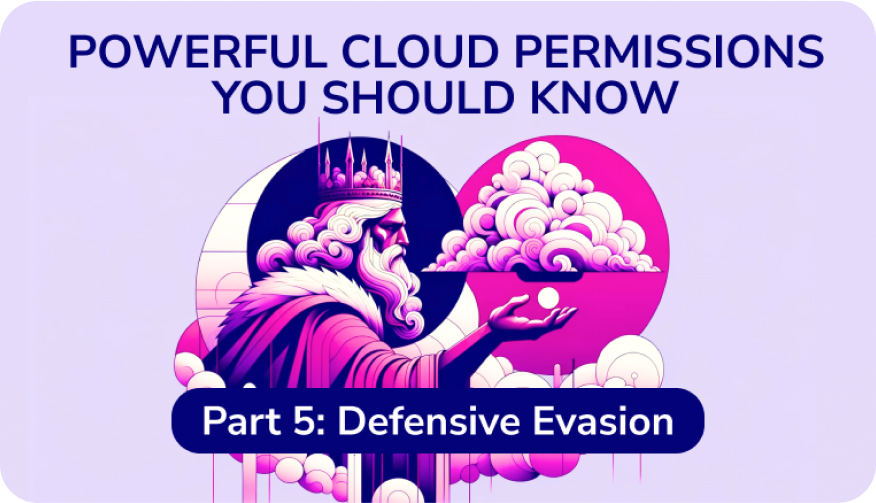
MITRE Stage: Defensive Evasion

A lot of activity in the cloud is traceable. Most organizations know it is best practice to enable logging and security tools to help in auditing or protection practices. However, there are a few actions one can take to disable these processes or cover their tracks.
Once an attacker is in your cloud, they are looking to stay there undetected for as long as they can. The following permissions are sensitive actions that could be used to evade detection.
AWS logo featuring
Service: Elastic Container Registry (ECR)

Permission: PutLifecyclePolic

Context

This permission allows one to create or update a lifecycle policy on a specified repository. ECR lifecycle policies allow control over lifecycle management of images in private repositories by defining when images should expire.

So What?

If a bad actor were to create an ECR image, with this permission in hand, they could create a policy that sets their desired expiration criteria for the image – allowing them to auto clean up after themselves.

Alternatively, an employee with this permission could accidentally misconfigure a policy, resulting in deleting golden images or other images your team does not want to lose.

Blue and turquoise gradient letter
Service: Automanage for Virtual Machines

Permission: Microsoft.Automanage/configurationProfileAssignments/Delete

Context

Automanage allows you to create custom profiles for flexibility in settings. This permission allows one to delete configuration profile assignments on compute instances.

So What?

With this permission in hand, a bad actor could delete the configuration profile assignment for any given Virtual Machine and disable any antimalware. With antimalware disabled, the bad actor could execute their own malware payloads undetected. Deleting the profile assignment can also remove drift detection capabilities that were put in place.

Perhaps an employee ended up with this permission – they could accidentally or without knowing the consequences, delete a profile and disable integral backups on a production workload.

Google Cloud icon with a colorful outline forming a cloud shape.
Service: Security Center

Permission: securitycenter.muteconfigs.create

Context

This permission allows creating mute configurations in Security Center, which can suppress specified security findings.

So What?

With this permission, an attacker can mute security findings for resources or files they’re using to evade detection – this doesn’t mean the finding doesn’t exist, it’s just muted.

Less malicious – an employee with this permission could bypass approval processes to use certain applications that are policy violations.

You can find the full-length blog dedicated to the Defensive Evasion Stage below.

Defensive Evasion

Powerful Cloud Permissions You Should Know: Part 5

This blog is the fifth publication in a series exploring the most powerful cloud permissions and how they map to the MITRE ATT&CK Framework.

Read More

6

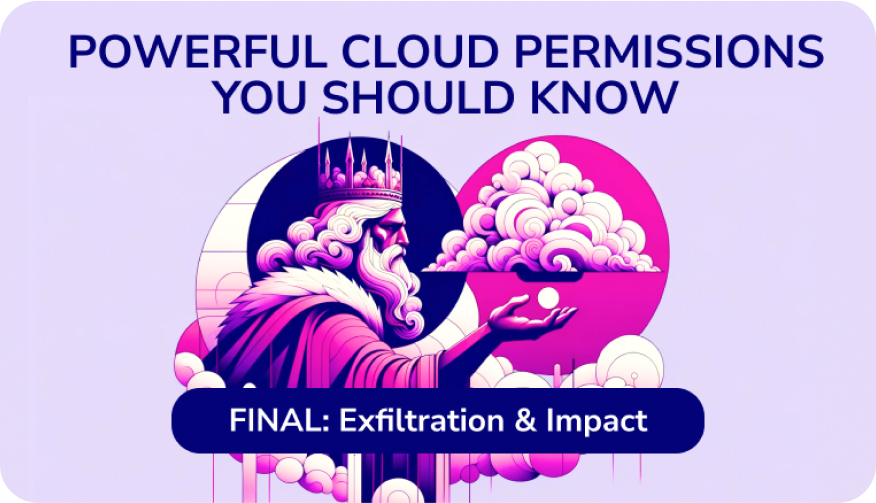
MITRE Stage: Exfiltration and Impact

The end of the MITRE Framework concludes with Exfiltration or Impact. An attacker may be trying to steal organizational data and remove it from your environment – exfiltration – or just interrupt and disrupt your operations – impact. Even a well-intended employee can misuse these permissions and cause potential impact to your business.
AWS logo featuring
Service: Database Migration Service (DMS)

Permission: CreateInstanceProfile

Context

DMS allows you to migrate databases, warehouses and data stores to AWS cloud or between cloud and on-prem environments. This permission allows one to create an instance profile to specify network and security settings for any given migration project.

So What?

Exfiltration. With this permission, an attacker can configure the instance profile settings to have a public IP address. This would allow public access to the migration project allowing external access and the ability to exfiltrate data.

Even an employee could use this permission to configure public access so they could work on their migration project from home – inadvertently allowing a window in (and out!) for an attacker.

Blue and turquoise gradient letter
Service: Cosmos DB

Permission: Microsoft.DocumentDB/databaseAccounts/sqlRoleAssignments/delete

Context

This permission allows someone to delete SQL role assignments within Azure Cosmos DB accounts. Role assignments would be used to granularly define access controls.

So What?

Impact. An attacker could delete a role assignment that is responsible for critical daily operations in a production environment. This could come with further disruption in content delivery or customer service, resulting in loss of revenue for the company.

Google Cloud icon with a colorful outline forming a cloud shape.
Service: Logging

Permission: logging.sinks.create

Context

This permission creates a data sink, which helps route logs to defined destinations.

So What?

Exfiltration. Quite a simple scenario – with this permission, an attacker can create a sink and exfiltrate data to an external destination.

Impact. Alternatively, an employee could create an aggregated log sink to make logging ‘more convenient.’ For example, doing this to combine and route audit log entries from all folders in an org to a specific cloud storage bucket. If the employee filtered or configured this poorly, it could potentially route a LOT of log entries costing the organization a significant amount of destination charges.

You can find the full-length blog dedicated to the Exfiltration & Impact below.

Exfiltration and Impact

Powerful Cloud Permissions You Should Know: Series Final

This blog is the final publication in a series exploring the most powerful cloud permissions and how they map to the MITRE ATT&CK Framework.

Read More

Secure Your Most Sensitive Permissions

The Sonrai Cloud Permissions Firewall analyzes permissions usage and identity activity to generate a global policy restricing sensitive permissions that have been overprovisioned. Anything that is actively used is exempted from restriction to your operations go uninterrupted. Unused access to cloud services and regions is disabled and dromant identities are secured. The result is a drastically reduced permissions attack surface.

Start a 14-day free trial and see results in two hours. Start securing your permissions with one click.

Get a Free Trial
Sonrai Main Logo
  • Product
    • Cloud Permissions Firewall
    • WALLy PAM Cloud Agent
    • Documentation
  • Why Sonrai
    • Interactive Tour
  • Platform Details
    • Free Trial
    • Pricing
  • Use Case
    • AI Security
    • Privileged Access Management
    • Just-in-Time Access
    • Third-Party Access
    • Least Privilege
  • User Roles
    • CloudOps
    • DevOps
    • Security
  • Learn
    • Resource Library
    • Customer Stories
    • Access Summit
    • Blog
    • Videos
    • Webinars
    • Cloud Permissions Firewall ROI
  • Company
    • Why Sonrai
    • Story & Leadership
    • Careers
    • News
    • Awards & Recognition
    • Contact us
  • Link to Linkedin

© 2025 Sonrai Security. All rights reserved

Privacy Policy  |  

Sonrai cloud security platform, products and services are covered by U.S. Patent Nos. 10,728,307, 11,134,085, and 12,218,982, together with other domestic and international patents pending. All rights reserved.

Scroll to top