
IAM Access Analyzer is a useful starting point for any team trying to enforce least privilege. It surfaces unused permissions, unused roles, unused access keys, and unused passwords across your AWS environment. For a feature that costs nothing to enable, it’s a no brainer approach to answering where there is dormant access in an account.
The problem is that the question itself isn’t the hard part anymore. Most security teams already know the rough shape of their unused-permission problem. What they don’t have is a way to act on it without breaking something.
This piece covers what Access Analyzer actually does, where it stops, and why the gap between a finding and a remediated permission is where most cloud least-privilege programs stall out.
What Does IAM Access Analyzer Show You About Unused Access?
Access Analyzer’s unused access findings cover a few specific realms:
- IAM roles that haven’t been used within a configurable time window
- IAM users with unused access keys or passwords
- Permissions on a role that haven’t been used, based on last-accessed data
- Service-level access that’s been granted but never invoked
The output is a finding per identity, with detail on what was unused and a policy recommendation showing what a tighter version of the role would look like. It supports least privilege reviews, periodic cleanup planning, and the kind of evidence-gathering that audits ask for.
What it does not do is remove anything. Every finding is informational. The remediation decision and the remediation work stay with you.
Why IAM Access Analyzer Does Not Remove Unused Permissions Automatically
This is a deliberate design choice by AWS, not necessarily a flaw. AWS doesn’t want to be in the position of stripping permissions from a customer’s role and taking down a workload nobody flagged. The native tool surfaces the data, and the customer makes the call.
Practically, that means:
- A finding is not a fix. It’s a report.
- Archiving or suppressing a finding makes it disappear from the dashboard. It does not remove the underlying permission.
- The policy recommendations Access Analyzer generates are starting points, not auto-applied policies. Someone has to review them, decide what’s safe, and implement the change.
- There’s no built-in mechanism to grant the access back temporarily if the cleanup turns out to be wrong.
So Access Analyzer’s role in a least-privilege program is “tell you what’s there.” Everything after that is on the team.
The Operational Limits of Access Analyzer’s Findings Model
Even teams that take Access Analyzer seriously and try to act on the findings run into the same operational walls.
The findings backlog grows faster than the remediation queue clears. In environments where new identities are created daily — service accounts, pipeline roles, AI agent identities, vendor integrations — the rate of new findings keeps outrunning the pace of human review. The dashboard becomes a moving target.
Policy recommendations are a starting point, not a deploy-ready output. Access Analyzer’s suggested policy is based on observed activity. That’s useful, but it doesn’t account for known-future use, dependencies the tool can’t see, or the broader context of how a role fits into a pipeline. Someone still has to read the recommendation, validate it, and decide what version of the tightened policy actually ships.
There’s no fast restore path if a remediation turns out to be wrong. If the team strips a permission and a workflow fails three weeks later, the fix is to manually re-grant the permission, redeploy, and hope nothing else broke in the meantime. The cost of being wrong is high enough that most teams default to leaving findings open.
The result is a familiar pattern in enterprise AWS environments: a valuable findings dashboard that nobody is actually using to reduce risk, because the operational cost of acting on it exceeds the team’s capacity.
Why Unused Permissions Are Hard to Remove Safely at Scale
Let’s step back from the tooling for a moment, and discuss why the underlying remediation problem is hard regardless of which tool surfaces it.
A permission that appears unused over a 90-day window might still support a rare but legitimate workflow: A disaster recovery role that gets invoked once a year. A scheduled job that runs quarterly. An application dependency that nobody documented. A vendor process that runs on an irregular cadence. An AI agent that only activates under specific conditions.
The cost of removing the wrong permission is business disruption or some broken workflow. This type of production incident often occurs with no clear owner, because the person who originally granted the permission or there isn’t a clear runbook.
Manual remediation runs into three structural problems:
Ownership sign-off. Every permission needs someone who can confirm it’s safe to remove. In a large AWS environment, that often means hunting down a team that no longer exists, or a vendor relationship that turned over twice.
Coordination with stakeholders. Security flags the finding. Cloud operations has to schedule the change. Developers have to be looped in if their workflow might depend on the permission. That’s three teams per finding, and there are thousands of findings.
No safe restore path. If the removal breaks something, the path to fix it is “open a ticket, manually re-grant the permission, hope the role still exists.” There’s no fast-revert built into the model.
So even with perfect visibility, the remediation work itself is what stalls. Unused permissions remain exploitable the entire time the backlog sits.
Why Org-Level Blocking Is Safer Than Deleting or Stripping Permissions
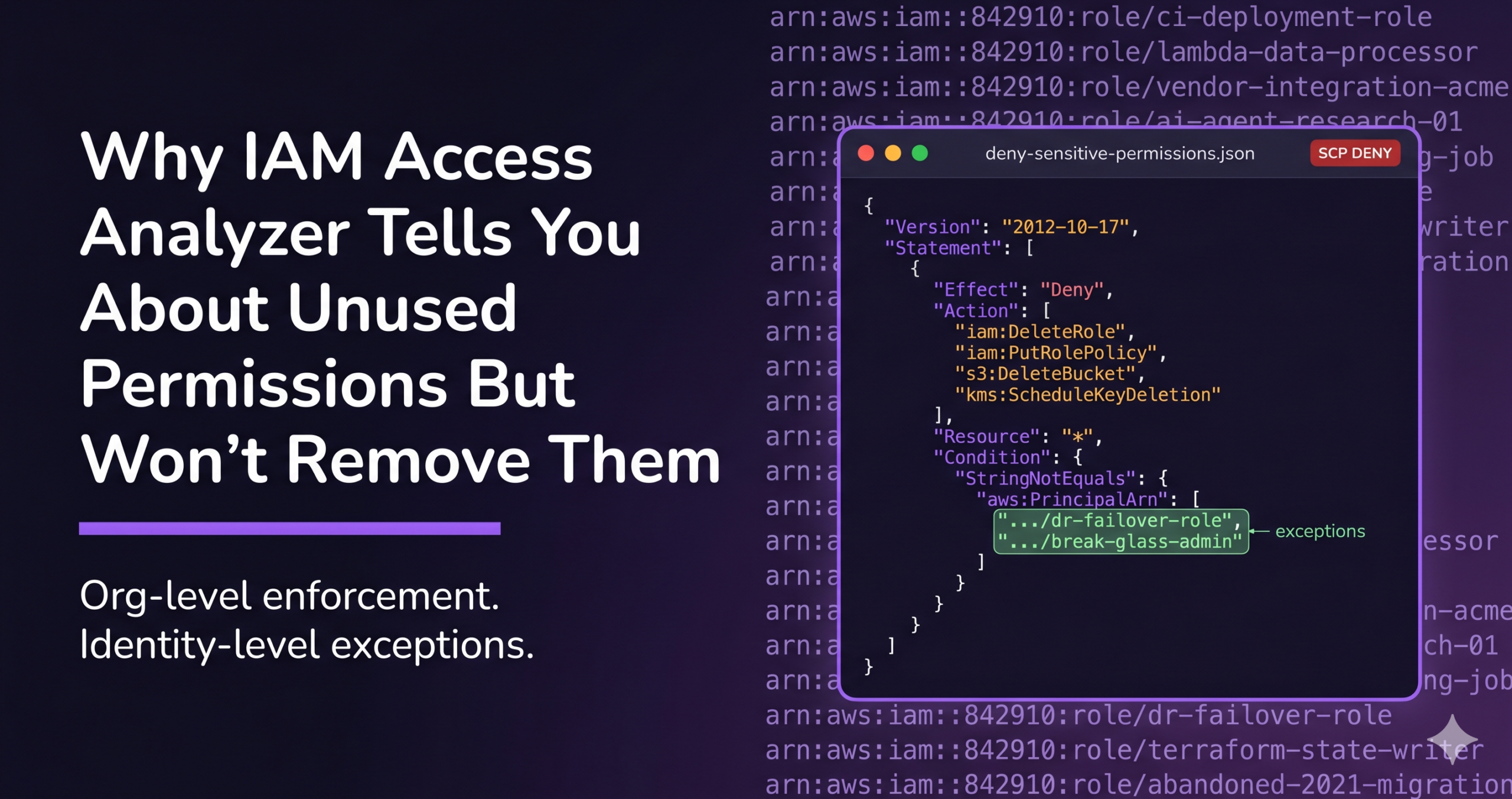
Here’s the shift that makes scaled enforcement possible: instead of going through each role and editing its policy, block the unused privileged permissions at the org level, preserve the identity intact, and provide a fast path to restore access if anyone genuinely needs it.
The distinction matters because there are three options on the table, and two of them are riskier than they look.
Deleting unused identities is permanent. It removes the identity entirely, which creates risk if any workflow depends on that identity’s continued existence. The dependencies that surface only after deletion are exactly the ones nobody documented. Recreating a deleted identity from scratch — with its original ARN, trust policy, and downstream references — is rarely a quick fix.
Stripping permissions from individual roles is destructive in a different way. The change rewrites the role’s policy. If the permission turns out to be needed, the fix requires re-editing the policy, redeploying, and hoping nothing else regressed in the meantime. At thousands of roles across dozens of accounts, the scale gets difficult.
Blocking unused privileged permissions centrally is the safer alternative. Done through an AWS Service Control Policy or equivalent on GCP, Azure, the role’s policy stays untouched. The identity stays intact. The path to restore access is a single approval, not a re-engineering effort.
A few other benefits:
- The identity structure is preserved, so workflows that depend on the identity itself still function.
- Centralized blocking scales across accounts in a way that per-role edits never will.
- When a legitimate need surfaces — a quarterly job, a DR test, an agent firing for the first time in months — restoring access is a routine workflow.
- The blast radius of being wrong shrinks dramatically. The worst case for a misjudged block is “the user requests it back and gets it in minutes.”
This is the mechanical difference between visibility tools and enforcement. Access Analyzer can tell you a permission is unused. It can’t block it for you, and it can’t give it back on request. Let’s review how this approach is possible.
How Sonrai Closes the Loop: From Findings to Enforced Least Privilege
Sonrai’s approach is built around the gap Access Analyzer leaves open.
Sonrai identifies the privileged AWS permissions worth restricting, the ones that can create or destroy data, modify identity configurations, or open egress paths, and analyzes which identities actually use them versus which ones hold them unused. The focus is narrower than a general unused-access report: not “what’s unused” across the board, but what’s unused and dangerous if compromised.
From there, the unused privileged permissions are blocked at the org level through native cloud policy controls. No jump boxes, no separate enforcement plane, no agent on the identity. The same SCP and IAM controls the cloud already provides.
When an identity legitimately needs blocked access, like a developer running an unusual task, a scheduled job that hits its quarterly window, an AI agent firing outside its normal pattern, a Permissions-on-Demand workflow restores the access through a Slack or Teams approval. The grant is tied to the task duration. When the task ends, the permission goes back behind the block.
The Takeaway
Access Analyzer is genuinely useful. It tells you where the unused access is, gives you policy recommendations, and supports the evidence-gathering side of least-privilege programs. None of that goes away.
The limit is that visibility is not enforcement. The findings backlog doesn’t reduce risk until someone removes the permissions, and manual removal at enterprise scale is exactly the work that breaks production.
For those looking to take action, Sonrai’s Cloud Permissions Firewall closes that loop. The unused privileged permissions get blocked through native cloud controls. The identities stay intact. The restore path is a Just-in-Time approval, not a ticket. The standing privilege actually goes away, instead of sitting in a findings dashboard waiting for a quarter that has the time to address it.
Frequently Asked Questions
Does IAM Access Analyzer remove unused roles or permissions?
No. Access Analyzer surfaces unused access as findings and generates policy recommendations, but the actual remediation is left to the customer. Removing the permission requires manually reviewing the recommendation, deciding it’s safe, and implementing the change yourself.
Is archiving an IAM Access Analyzer finding the same as fixing it?
No. Archiving a finding removes it from the active dashboard, but the underlying permission, role, or access key is unchanged. The exposure remains. Archiving is appropriate for findings you’ve reviewed and accepted as legitimate, not for ones you intend to remediate.
Why is manual unused-access cleanup difficult at scale?
A permission that looks unused over a 90-day window might still support a rare workflow, a scheduled job, a disaster recovery process, or an undocumented application dependency. Validating that a permission is safe to remove requires ownership confirmation, coordination across security, cloud operations, and developers, and a way to restore access quickly if the removal turns out to be wrong. None of that scales role by role across an enterprise AWS environment.
Why not just delete unused identities?
Deletion is permanent and removes the identity entirely, which creates risk if any workflow depends on that identity’s continued existence. Blocking the unused privileged permissions while preserving the identity is safer, while also more secure. Sonrai offers ‘quarantining’ these unused identities.
How does Sonrai help reduce unused privileged access?
Sonrai identifies privileged AWS permissions that are unused by the identities holding them, then blocks them at the org level through native cloud controls like Service Control Policies. The identities stay intact. When access is legitimately needed, a Permissions-on-Demand workflow restores it through a Slack or Teams approval tied to the task duration. The standing privilege is removed without requiring per-role cleanup or coordination across teams.