

5 mins to read
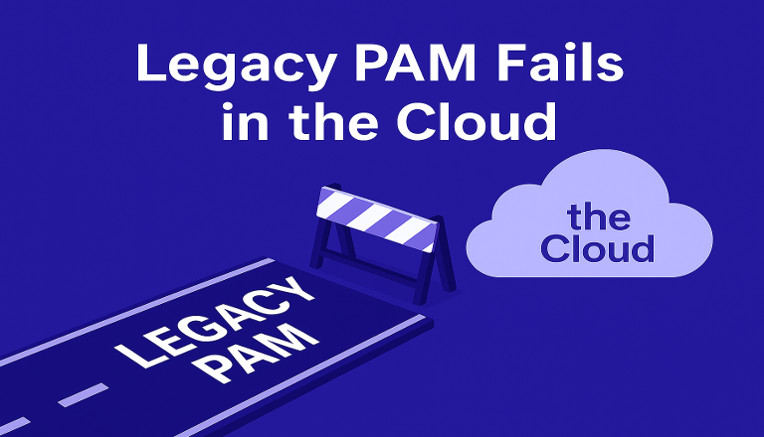
For years, organizations have tried to retrofit Privileged Access Management (PAM) tools into the public cloud. Jump boxes. Vaults. Session recording. Manual provisioning. None of the traditional PAM elements scale or fit the nuances of the cloud. Privilege works differently in the cloud. Let’s talk about why.
Why Cloud Privilege Has Become Hard to Manage
Cloud environments run primarily on machine identities, not humans. Access is governed by permissions, not admin logins or shared root credentials. Meanwhile, cloud resources change constantly, automation and services now do much of the work, and identities grow faster than teams can manage them. Over time, permissions accumulate, quietly expanding the attack surface.
The result is massive permission sprawl across humans, machines, pipelines, AI agents, third parties, and cloud services. In AWS alone, there are more than 18,000 permissions. Of those, 1,095 are privileged – powerful enough to create backdoors, exfiltrate sensitive data, or disable critical security controls.
Worse, 92% of identities holding these privileged permissions never use them. That means the majority of cloud privilege sits idle, invisible, and exposed – creating a massive attack surface that legacy PAM was never designed to control.
Privilege Lives in Permissions, Not ‘Admin Accounts’
You can’t manage privilege in the cloud by managing ‘admin access.’ Because in the cloud, privilege isn’t just tied to a login or a root account. It’s defined by what an identity can do via its permissions.
Traditional PAM solutions focus on securing who logs in. But in the cloud, the real risk lives deeper, in the thousands of granular permissions scattered across human and non-human identities alike.
Not all risk hides in obvious places like administrator access or wildcard (*) policies. Some of the most dangerous access paths start with seemingly harmless permissions.
For example, take iam:PutUserPolicy. One overlooked permission lets an identity attach new privileges to any user, granting themselves admin-level access or creating persistent backdoors without modifying any roles.
Or kms:PutKeyPolicy. It’s a standard permission for automation accounts. But when left unchecked, it can be used to rewrite a key policy and grant an external identity the ability to decrypt sensitive data in S3, RDS, or EBS.
These aren’t outliers. There’s hundreds of these privileged permissions:
lambda:CreateFunctionUrlConfig
iam:CreateAccessKey
iam.serviceAccounts.setIamPolicy
bedrock:UpdateFlow
compute.instances.osAdminLogin
iam:CreatePresignedURL
…With new privileged permissions released every month across the different cloud providers.To secure cloud environments, you can’t just control who has access. You must set controls at the granular level of privileged permissions. That means managing permissions continuously, automatically, and across every type of identity. That’s the job ‘Cloud PAM’ must do.
Where Traditional PAM Breaks, and What Cloud PAM Must Do
Legacy PAM was built to manage access for a handful of human administrators in predictable, on-prem environments. Cloud-native environments demand something entirely different.
Most activity in the cloud comes from non-human identities (NHIs) and machine identities such as Lambda functions, containers, Terraform pipelines, and third-party integrations. These identities do not log in. They assume roles and operate through permissions defined in code.
They are often assigned broad, standard permission sets that grant far more access than necessary. And because traditional PAM cannot track or limit these privileges they remain unmonitored, with over-privileged identities, creating serious security risk.
Here is where traditional PAM breaks down and what a modern solution must deliver instead:
Legacy PAM vs. Modern Cloud-Native PAM
| Legacy PAM | Cloud-Native PAM (Cloud Permissions Firewall) |
| Built for static infrastructure | Built for dynamic, multi-cloud environments |
| Works only for human users | Covers humans, workloads, third parties, and AI |
| Secures login credentials | Secures permission-level access across all identities |
| Requires vaults, agents, and proxies | Uses native cloud controls, no extra infrastructure |
| Relies on log analysis for reactive protection | Blocks unnecessary privileges automatically, before a session begins |
| Adds friction to developer workflows | Enables privilege-on-demand and JIT access with zero disruption |
Cloud Permissions Firewall: Modern PAM Built for Cloud
Cloud PAM needs to control what identities can do, not just who can log in. Developers, workloads, pipelines, vendors, and AI agents all act on your environment, and each one needs enforceable yet flexible boundaries (read about Just-In-Time access for cloud.)
Sonrai’s Cloud Permissions Firewall does exactly that. It replaces manual oversight with automated restriction, securing access at the privilege level and scaling across every identity class.
Here’s what the Cloud Permissions Firewall approach delivers:
Automates Least Privilege, Continuously
Tracks how privileges are actually used. Quarantines anything that sits idle. Removes unnecessary privilege and access without manual cleanup.
Denies New Privilege by Default
Blocks privileged permissions for new identities before they are used. Allows exceptions through an automated approval process.
Delivers Approvals at ChatOps Speed
Processes access requests directly in Slack or Teams in seconds. Logs every decision and action for full traceability.
Grants Just-in-Time Access for All Identities
Provides time-bound access to developers, services, automation, or AI. Removes standing privilege across the board.
Uses Native Cloud Controls
Enforces policies with the tools your cloud already provides. Skips proxies, avoids extra infrastructure, and preserves developer workflows.
Provides Built-In Auditability
Logs every request, approval, and action. Generates AI-powered session summaries that show who did what, when, and why, so your team doesn’t need to dig through raw logs.
The Bottom Line
Traditional PAM was built for a world of servers, logins, and manual oversight. That world is gone.
In the cloud, permissions drive privilege, and excess privileges drive risk.
Sonrai’s Cloud Permissions Firewall is the only Cloud PAM solution built for the speed, scale, and complexity of cloud. It removes standing privilege, protects every identity, and restores privilege only when it’s needed, with full auditability.
No agents. No proxies. No friction. Just secure, cloud-native control.
Ready to take control of cloud privilege?
Stop the sprawl. Start enforcing least privilege at cloud scale with Sonrai.
FAQ
Why Over-Permissioned Identities Create Hidden Risk
Over-permissioned identities expand the blast radius of any compromise, turning minor access into full account takeover, data exfiltration, or infrastructure abuse. Because most excess permissions go unused, the risk often stays invisible until it’s exploited.
How Cloud Permissions Enforcement Reduces Risk at Scale
Automated enforcement continuously removes unused and risky permissions while granting access only when it’s actually needed. This shrinks the attack surface across thousands of identities without disrupting day-to-day workflows.
How Teams Move from Legacy PAM to Cloud PAM
Teams shift from managing static credentials and vaults to enforcing dynamic, policy-driven permissions directly in the cloud. This enables real-time least privilege without slowing developers or requiring major workflow changes.
How is Cloud Privilege Different from Admin Access?
Admin access refers to broad, “superuser” roles like Full Access, while cloud privilege involves over 42,000 granular permissions that are often hidden. Most identities hold privileged permissions that grant administrative power without the admin title. Moving to a cloud-privilege model means identifying these “Shadow Admins” and blocking the thousands of unused privileged paths that legacy tools miss.
What “Least Privilege” Actually Means in the Cloud
Least privilege in the cloud means identities only have the exact permissions they actively use. It’s a continuous state, not a one-time configuration so access is granted dynamically and revoked when no longer needed.
Why Manual Reviews Can’t Keep Up With Cloud Permissions
Cloud environments change constantly, generating millions of permission relationships that quickly outpace possible human review. Leveraging automation and global cloud-native controls is the only way to continuously analyze, enforce, and maintain least privilege at scale.