


7 mins to read
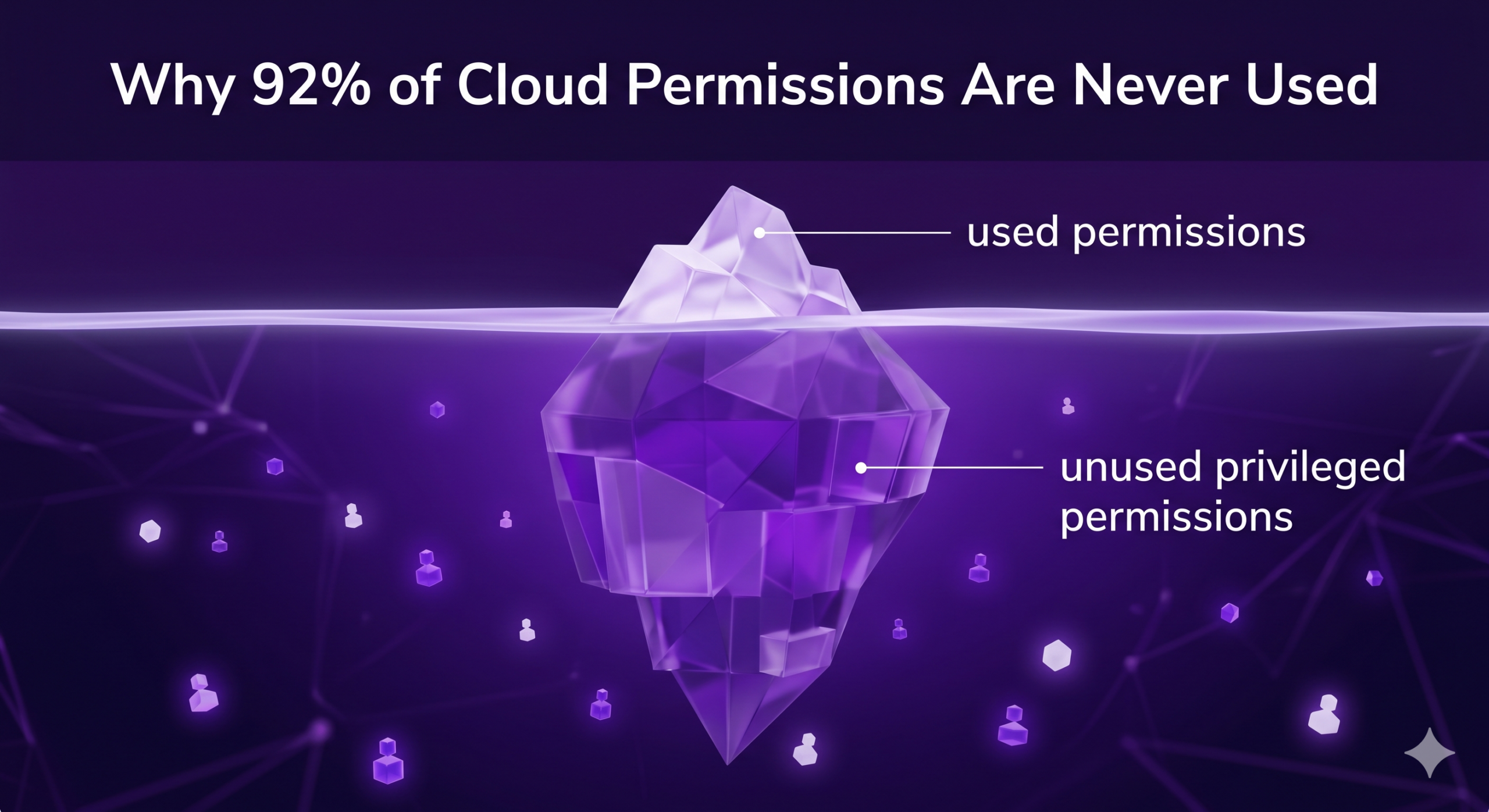
Let’s say the typical enterprise has a 5-to-10 person security team responsible for over 11,000 identities in a single AWS organization. The majority of those identities aren’t humans. Instead they’re machine identities created by pipelines, vendors, test environments, and integrations that nobody reviews after the first sprint.
Sonrai’s analysis of enterprise cloud estates found that on average, 92% of all identities with access to sensitive permissions did not use them over 90 days. Of that group, 87% were machine identities and 13% were human. In our hypothetical scenario of the typical enterprise, that means 10,120 identities hold privileges they don’t use.
It could be easy to file this under standard hygiene, but it isn’t. Every unused privileged permission is a potential door or stepping stone for an attacker. And in a cloud environment where attackers don’t break in so much as log in, the size of the unused-permission surface is the size of your blast radius.
Let’s review what that 92% actually costs across four dimensions – attack surface, breach economics, audit liability, and engineering time – where that cost grows fastest, and what removing it without breaking production actually takes.
What Does “92% Unused Permissions” Actually Mean?
The figure comes from Sonrai’s analysis of enterprise public cloud estates. But what goes on behind the scenes to make this stat a reality?
Most of the inactive identities are non-human; Service accounts, automation roles, pipeline credentials, and third-party integrations. They get provisioned once and live forever. That’s where the bulk of the unused privilege concentrates.
Most organizations are no longer managing an intentionally designed IAM environment. They’re managing accumulated permissions inherited from years of deployments, vendor integrations, abandoned projects, and team turnover. The original justification for any given access is usually gone and the people who would know are usually gone too.
Role names and policy structures rarely reflect actual runtime behavior. A role called ci-deployment-role might hold dozens of permissions it has never invoked. Manual review can’t catch that at enterprise scale because the policy document and the usage data live in completely different places.
Why Do So Many Permissions Go Unused in the First Place?
Permission sprawl is the default outcome of how cloud work actually gets done.
- Permissions get granted broadly during deployment, when nobody knows exactly what the workload will need, and rarely get pared back later
- Roles get copied from existing over-permissioned templates because that’s faster than writing a new least-privilege policy from scratch
- CI/CD systems, service accounts, APIs, and automation all leave persistent access residue that outlives the project that created it
- Non-human identities accumulate the fastest and receive the least review, because no review process is designed around them
In a fast-moving cloud delivery model, broad permissions are the path of least resistance. Cleanup is the path that breaks things.
Where Does the Problem Grow Fastest? Acquisitions and AI Agents
Two places in particular drive unused privilege faster than the rest of the environment can absorb it.
Acquisitions. Every account that arrives through a deal brings its own IAM baggage: identities provisioned by the acquired team, permissions granted under different standards, and access patterns that fit a startup’s velocity. In the chaos of integration, it usually gets inherited and never cleaned up, which means it lands directly in the unused-permission pile and stays there.
AI agents. An AI agent is, mechanically, a non-human identity. It gets a service account, an IAM role, or an API key, and it inherits every weakness that comes with that category, including excess permissions. The 92% figure was measured before AI agents started proliferating in production environments at the current rate, so agent deployment is making it worse, not better. Agents are spun up quickly, in volume, and with more access than the work actually requires. A compromised agent combined with overprivileged access turns a small incident into a concerning one.
What Does Unused Privilege Actually Cost You?
It Is Your Attack Surface
Attackers don’t hack in. They log in. What limits them once they’re in is what the identity they compromised can actually do.
When 92% of privileged identities hold permissions they never use, every one of those credentials is a key to rooms the legitimate owner doesn’t even use. One compromised credential opens lateral movement across everything those unused permissions can reach.
Looked at from the other direction: only about 8% of identities actually use sensitive permissions (the kind that can create or destroy data, modify identity configurations, or open egress paths.) The other 92% is pure liability. It doesn’t run the business. It only widens the path an attacker can take after the first compromise.
It Changes the Economics of a Breach
Unused privilege is the multiplier that turns one compromised credential into a major incident instead of a contained one.
The global average cost of a data breach is $4.44 million as of 2025, with the US average at $10.22 million (IBM’s 2025 Cost of a Data Breach Report). The average breach lifecycle is 241 days to identify and contain. Breaches involving excessive or misused privilege consistently sit in the most expensive tier of that data.
The gap between a small breach and an expensive one is usually how far the compromised identity could reach. If 92% of identities are overprivileged, that distance is significant, and the meter runs for 241 days while teams work out the blast radius.
It Is an Audit Liability
Frameworks like SOX, HIPAA, and PCI DSS require organizations to demonstrate control over privileged access and justify why sensitive permissions exist. Large amounts of unused or unexplained access become difficult to defend during audits. Each year, teams have to either explain the same unused privilege again or invest the cleanup effort they didn’t have time for the year before. Unused privilege is both a security problem and a compliance one, but the compliance issue is the one that shows up with a deadline.
It Is a Standing Engineering Cost
This is the cost that hides on the balance sheet.
Finding unused identities takes seconds. A query against access logs returns the list. But safely removing the permissions without breaking the occasional workload takes months of work that most teams never get to.
So the risk sits understood and unaddressed. The team knows the 92% figure applies to their environment. They can name specific roles that haven’t been used in a year. And the cleanup work doesn’t happen, because manual cleanup is the part that breaks production. The real cost isn’t the visibility gap. It’s the inaction the exposure produces.
Why Can’t Legacy PAM or Visibility Tools Fix This?
Unused privilege is a cloud permission-level problem that legacy PAM can’t reach. PAM was built to secure a small set of named “privileged accounts” for humans. That model fails in the cloud where any identity (majority non-human) holding a high-impact permission is effectively privileged.
Native cloud tooling hits a related wall. AWS IAM Access Analyzer does a credible job identifying unused permissions and zombie roles. But it produces recommendations, not enforcement. Teams still have to interpret the findings, decide what’s safe to remove, and execute the cleanup themselves. At enterprise scale, that’s the bottleneck.
Why Just-in-Time Must Apply to Permissions, Not Just Users
Most JIT implementations tighten who can log in. They add a ticket queue, make people request a role switch, and call it done. That’s JIT applied to users, which leaves the unused-permission surface completely untouched.
Here’s why: gating the user doesn’t change what the assumed role can do. The permissions on that role are still standing, still unused, still exploitable the moment any tied credential is compromised. The user is gated. The privilege isn’t.
The shift that matters is applying JIT to the permissions themselves. Sensitive permissions are blocked by default. They get granted for the duration of a task, to the specific human, machine, or agent that genuinely needs them. When the task ends, the permission is revoked.
Concretely: instead of a deployment role permanently holding s3:DeleteBucket, that permission isn’t present on the role at all in steady state. When a legitimate deletion task runs, the permission is granted, the task executes, and the permission is revoked. A compromised credential outside that window can’t invoke it.
How Do You Quarantine Unused Access Without Breaking Production?
‘Quarantine’ is how this gets enforced without taking down workloads.
The mechanics: unused permissions are stripped via policy. The identity itself is preserved and never deleted, so there’s no fear of breaking a workflow. When a quarantined identity needs to perform a sensitive action, a Permissions-on-Demand workflow restores the access through a Slack or Teams approval.
A few things make this safe to deploy at scale:
It runs on native cloud controls. No jump boxes, no new agents, no separate control plane. The enforcement uses the same primitives the cloud already provides.
Every grant of privileged access is recorded: which identity, when, requested by whom, approved by whom.
Only unused access gets quarantined. Actively used permissions are included in an exempt list so operations are not disrupted.
Time-to-value is the measurable shift. Enterprises using this model have moved from weeks-long manual least-privilege efforts to least-privilege outcomes in a few days – and they receive an average of six on-demand requests per 90 days, which is the realistic operational cost of running with privileged permissions locked down by default (Sonrai Cloud Access Risk Report.)
Conclusion
The cost of unused cloud privilege shows up in four places: a live attack surface that doesn’t shrink without intervention, a breach economics multiplier that turns small incidents into expensive ones, an audit liability that recurs every cycle, and a standing engineering cost in cleanup work that never quite gets done because manual cleanup is what breaks production.
The resolution isn’t another report. It’s usage-based, org-level enforcement that quarantines unused privilege across every identity while leaving active access untouched.
Frequently Asked Questions
What Causes IAM Permission Sprawl in Large AWS Environments?
Permission sprawl comes from broad grants made during deployment that never get pared back, roles copied from over-permissioned templates, and persistent access residue left behind by CI/CD systems, service accounts, and integrations. It accelerates fastest among non-human identities because no review process is designed around them.
Will Removing Permissions That Look Unused Break a Workload That Only Runs Occasionally?
The answer depends on how the removal is done. Usage-based enforcement that quarantines unused access while preserving the identity — and provides a request-and-approve workflow for the rare legitimate use — handles the occasional-workload case without an outage. The first time the monthly job runs, it triggers a request that takes minutes to approve.
What Is the Difference Between Dormant Identities and Over-Permissioned Identities?
A dormant identity is one that hasn’t been used at all over a defined window, sometimes called a zombie identity. An over-permissioned identity is one that is actively used, but holds permissions far beyond what its actual work requires. Both are problems, but they’re different problems. Sonrai’s data shows 61% of identities are dormant, and 92% of identities with sensitive permissions don’t use them. The overlap is significant, but the over-permissioned category is the bigger contributor to attack surface.
Why Do Cloud Environments Accumulate Dormant Identities Over Time?
Identities are created for third-party vendors, temporary projects, testing environments, and one-off integrations. The work ends, the project closes, the vendor relationship changes and the identity persists. Without an enforcement mechanism that defaults to deny, dormant identities pile up indefinitely because no one is incentivized to remove them and removing them manually risks breaking something undocumented.
What Is the Difference Between Quarantining an Unused Identity and Deleting It?
Deletion is permanent and removes the identity entirely, along with any potential workflows that depend on its existence. Quarantine preserves the identity but strips its access via policy. If the identity is ever legitimately needed, access can be restored through a request-and-approve workflow in minutes. Quarantine is the safer default for environments where the original purpose of an identity isn’t always documented.